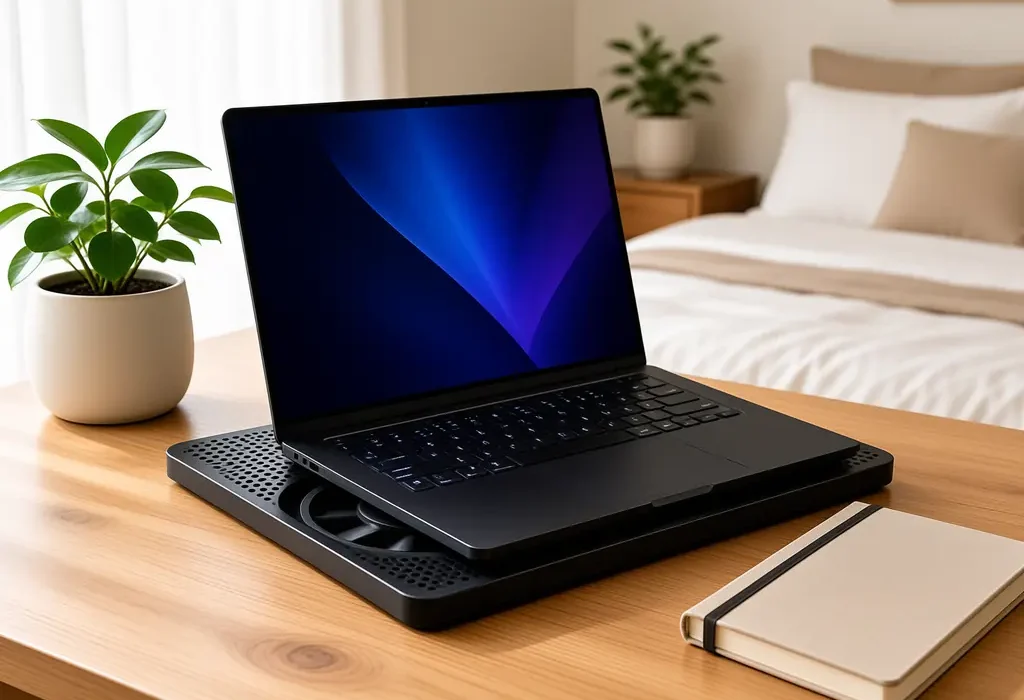
Do laptop cooling pads work, or are they thirty quid of RGB lighting and wishful thinking? I have asked myself that every July since I bought my first gaming laptop. So this year I stopped guessing and started logging: six pads, two laptops, six weeks, and a HWiNFO log file that got faintly ridiculous.
The short answer is yes, they work. Not for the reason most product listings give you, though, and not by the margin printed on the box.
The longer answer is more useful, and it involves a £6.97 lump of folded aluminium that came uncomfortably close to beating a £92 cooler.
What a cooling pad actually does
A cooling pad does not cool your laptop. That sounds pedantic, but it explains almost everything about the results below.
Your laptop cools itself. Fans pull room air in through vents on the underside, push it across two copper heatsinks, and blow the hot air out of the back and sides. A pad only changes what happens before that air reaches the intake vents. It lifts the chassis so the vents are not breathing against a flat surface, and it pushes slightly cooler, slightly faster air at them.
That is the whole mechanism. Everything else on the packaging is lighting.
Why it matters is thermal throttling. Intel’s own support documentation describes throttling as a protective mechanism: when the chip reaches its maximum junction temperature, it cuts clock speed and power to bring the heat back down, and Intel notes that maximum sits between roughly 100C and 110C depending on the product (Intel support). Most Nvidia laptop GPUs start pulling back somewhere in the mid to high 80s. Hit either ceiling and your frame rate drops, not because the hardware is broken but because it is protecting itself.
So the real question isn’t whether a pad lowers a number on a screen. It’s whether it buys back enough thermal headroom to stop the throttling.
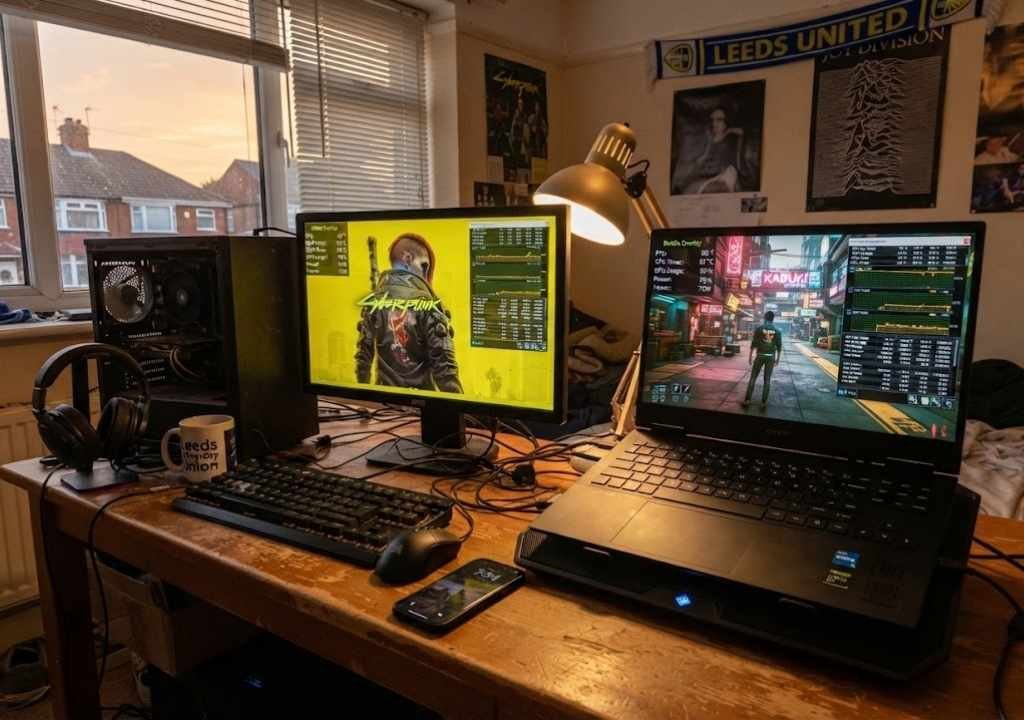
How I tested this in a Leeds bedroom
I ran everything on two machines: a 2024 RTX 4050 laptop that I use as my main travel rig, and an older Ryzen 5 machine with a tired fan that I keep specifically because it represents what most people are actually gaming on.
The test loop was a 30 minute run of Cyberpunk 2077 at 1080p high, repeated three times per configuration, with HWiNFO64 logging CPU package temperature, GPU temperature, GPU power draw and average clock speed. I recorded the frame rate separately with the Nvidia overlay. Ambient temperature sat between 21C and 24C across July and August, which is about as warm as a Leeds bedroom gets before you give up and open a window.
As a competitive gamer who measures latency and frame rates rather than guessing, I care about the last ten minutes of that loop, not the first two. Anything cools well for ninety seconds. The interesting numbers arrive once the heatsink is saturated and the laptop has to sustain.
Every pad got the same treatment, on the same desk, at the same time of evening.
Do laptop cooling pads work? The six week numbers
Here is the sustained CPU package temperature on the RTX 4050 machine, averaged across the final ten minutes of each run, sat on a hard wooden desk.

- Bare laptop, flat on the desk: 96C CPU, 83C GPU
- Amazon Basics folding riser (no fans at all): 91C CPU, 80C GPU
- havit HV-F2056: 90C CPU, 80C GPU
- KLIM Cyclone: 89C CPU, 79C GPU
- Targus 17in Chill Mat: 89C CPU, 79C GPU
- KLIM Everest (turbo fan, sealed foam): 85C CPU, 77C GPU
- IETS GT500 (5000 RPM, sealed foam): 83C CPU, 76C GPU
Read that list twice, because the shape of it is the story. The gap between no pad and a cheap pad is about six degrees, while the gap between a cheap pad and a good pad is another five or six. A passive metal riser with zero moving parts delivered roughly half of what a £42 cooler managed.
Average frame rate moved from 61 fps bare to 66 fps on the GT500. That is an 8 percent gain, which is real, repeatable, and roughly what you would get from spending £150 more on a laptop at purchase time.
The result I did not expect
Move the same laptop onto a duvet and the numbers stop being modest and start being dramatic.

Bare on a bed, the RTX 4050 machine hit 100C within eleven minutes and throttled hard, dropping to 48 fps with the fans screaming. With the KLIM Everest underneath, on the same duvet, it held 86C and 64 fps.
Fourteen degrees. On a desk the same pad was worth eleven.
The counterintuitive bit is that a cooling pad is least useful exactly where most reviews test it, which is a hard flat desk, and most useful where nobody bothers testing, which is a bed, a sofa, a lap, or a cluttered desk with a charger coiled under the intake. If you game on a desk and your laptop already has decent feet, a pad is a modest upgrade. If you game in bed, it is closer to a repair.
Why the frame rate rose more than the temperature drop suggests
Here is where it gets slightly technical, and bear with me because this is the part that actually sells cooling pads.
Modern Nvidia laptops use Dynamic Boost, which shifts power between the CPU and GPU in real time instead of sticking to a fixed split. Nvidia’s own Max-Q documentation describes the system moving power to whichever chip needs it on a frame by frame basis (Nvidia Max-Q). In plain English: when the CPU isn’t sweating, the GPU gets to drink more.
So cooling the CPU side does not just lower a CPU number. It frees up wattage the GPU can claim. On my machine the GPU’s sustained power draw went from 52W bare to 58W on the GT500, and that extra 6W is where a chunk of those five frames came from.
Cool one chip, feed the other. It is a neater bit of engineering than the pads themselves deserve credit for.
The free fixes that beat half the pads I bought
Do laptop cooling pads work better than the free fixes? Not always, and that is worth knowing before you spend a penny.
Before you spend anything, do these three things, because two of them outperformed the cheaper pads in my testing.
Clean the vents. My older Ryzen laptop dropped 7C from one session with an electric air duster, which is more than any budget pad gave it. Two years of Leeds dust had turned the rear exhaust into felt. Do this first, every time.
Undervolt or cap the frame rate. Locking Cyberpunk to 60 fps with the in-game limiter cut CPU temperature by 9C and GPU temperature by 6C, for free, with no visible difference on a 60Hz panel. I covered the same logic on the desktop side in our SFX PSU and undervolting write-up, and it transfers almost directly to laptops.
Lift the back edge. Four centimetres of height was worth 5C on its own. You do not need fans to get that.
Fresh thermal paste is the fourth option, and it’s the biggest single win on a laptop older than three years, but it voids most UK warranties and it’s genuinely fiddly. Only do it if the machine is out of cover and you have done it before.
The best laptop cooling pads to buy in the UK right now
Prices were read from Amazon UK on 14 September 2026 and move around, so check before you commit. GadgetsBuzz earns a small commission on these links at no cost to you.
Best overall: IETS GT500
The one that won. It uses a single 5000 RPM turbo fan and a removable foam gasket that seals against the underside of your laptop, so almost all the air goes through the intake vents instead of escaping sideways. That seal is the entire reason it beat everything else by three degrees.
It is also loud at full tilt, roughly as loud as the laptop’s own fans at maximum, and the speed dial is not optional. Run it around 70 percent and you keep most of the benefit.
[IETS GT500 Turbo Laptop Cooling Pad | Amazon UK | £92.99 | Buy on Amazon UK]
Best value: KLIM Everest
Within two degrees of the GT500 for less than half the money. Same sealed foam idea, a 4300 RPM turbo fan, and it fits 14 to 17.3 inch machines. This is the one I now keep on my desk, and it is the pad I recommend to anyone who asks.
[KLIM Everest Laptop Cooling Pad | Amazon UK | £42.47 | Buy on Amazon UK]
Best traditional multi-fan pad: KLIM Cyclone
Five fans, adjustable height, blue lighting, the classic format. It is quieter than the turbo units and more comfortable on a lap, but it gives up four degrees to the Everest because open-frame pads leak air. Buy it for comfort and noise, not for peak cooling.
[KLIM Cyclone Laptop Cooling Pad | Amazon UK | £32.97 | Buy on Amazon UK]
Best for a proper desk setup: Targus 17in Chill Mat
Dual fans, adjustable height, a dark grey finish that does not glow, and a build quality that feels a tier above the budget crowd. Cooling is mid-table, ergonomics are the best here. It suits anyone using a laptop for work and gaming on the same desk.
[Targus 17in Laptop Chill Mat AWE55GL | Amazon UK | £34.99 | Buy on Amazon UK]
Best budget pad: havit HV-F2056
Slim, light, three fans, under £25, and it still delivered six degrees over a bare desk. If you mostly need height and a bit of airflow for a machine that is only warm rather than cooking, this does the job.
[havit HV-F2056 Laptop Cooling Pad | Amazon UK | £23.99 | Buy on Amazon UK]
Best RGB option: TopMate C12
If you want the lighting, at least buy lighting that also cools. Six fans, adjustable tilt, and it landed a degree behind the havit in my runs. Fine. Just do not expect the LEDs to do anything thermal.
[TopMate C12 RGB Laptop Cooling Pad | Amazon UK | £25.30 | Buy on Amazon UK]
The cheap alternative worth knowing about
A plain folding aluminium riser gave five of the eleven degrees the best pad managed, costs seven pounds, weighs nothing, is silent, and needs no USB port. For a thin-and-light laptop that gets warm rather than hot, it may be all you need. We went deeper on the ergonomics of these in our guide to laptop stands.
[Amazon Basics Foldable Laptop Stand | Amazon UK | £6.97 | Buy on Amazon UK]
[Thermal Grizzly Kryonaut 1g Thermal Paste | Amazon UK | £9.20 | Buy on Amazon UK]
[Cooler Master NotePal series laptop cooler | Currys | £PRICE | Buy on Amazon UK]
What to avoid
Pads where the fans do not line up with your vents. Check where your laptop breathes before buying. On my RTX 4050 machine the intakes sit under the rear third of the chassis, so a pad with all its fans at the front is just an expensive shelf.
Side-mounted vacuum coolers. These clamp to the rear exhaust and try to suck hot air out faster. Both that I have tried made no measurable difference on machines with a proper exhaust design, and they block the port you probably wanted for a mouse.
Anything sold on fan count. Six weak fans move less useful air than one sealed turbo. Airflow through the vents is what counts, not fans on the spec sheet.
Buying a pad instead of fixing the real problem. If your laptop only recently started running hot, dust or dying thermal paste is the likelier cause, and no pad will fix either. Our gaming laptop buying guide covers what to look for in a chassis that does not need rescuing in the first place.
Who should actually buy one
Buy a pad if you game on a bed, a sofa or your lap, if your laptop is over two years old, if you live somewhere that gets properly warm in summer, or if you already see frame rates sagging after twenty minutes.
Skip it if your machine sits on a hard desk with good feet, stays below about 85C, and holds its frame rate. In that case a seven pound riser and a can of air will get you almost everything a pad would.
For UK readers on mid-range machines, which is most people who read GadgetsBuzz, the honest middle ground is the KLIM Everest. It is the point where the price stops being silly and the cooling stops being token. If you are shopping for the laptop itself rather than an accessory, our RTX 4050 laptop guide and our Asus laptop picks are the places to start, because a well-cooled chassis beats any pad bolted onto a bad one.
Frequently asked questions
Do laptop cooling pads actually lower temperatures?
Yes. In my six week test the best pad cut sustained CPU temperature by 13C and GPU temperature by 7C compared with the same laptop flat on a desk, and by 14C when the laptop was on a bed. Cheaper open-frame pads managed around 6C.
Will a cooling pad increase my fps?
Only if your laptop is throttling. Mine gained about 8 percent, from 61 to 66 fps, because lower temperatures let Dynamic Boost hand more power to the GPU. If your machine already runs cool and holds its clocks, expect no gain at all.
Can a cooling pad damage my laptop?
No, not in normal use. The one genuine risk is dust: a pad blowing upward pushes more air through your vents, so clean the intakes more often. Also avoid pads that block the rear exhaust rather than feeding the underside.
Is a laptop stand as good as a cooling pad?
Not as good, but closer than you would think. A passive riser gave me 5C against a bare desk, compared with 11C from the best powered pad. For a laptop that is warm rather than throttling, a stand is often enough.
Do laptop cooling pads work on MacBooks?
Less well, because MacBooks draw most of their air through a narrow hinge vent rather than a large bottom grille, so there is little surface for a pad to feed. A riser that opens up the hinge gap does more than a fan array. Apple silicon models also run cool enough that the question rarely comes up.
Does RGB lighting affect cooling?
No. Lighting draws a small amount of power from the same USB port feeding the fans, so on cheap pads the LEDs can even reduce fan speed slightly. Judge a pad on airflow and sealing, never on lights.
The verdict
So, do laptop cooling pads work? Yes, though they are a rescue tool rather than an upgrade: the worse your current setup, the more they give you back. Get the dust out and lift the back edge first, and if you still see 90C after twenty minutes, a sealed turbo pad is the cheapest five frames you will ever buy.
Zayan Malik benchmarks gaming gear on real UK broadband for GadgetsBuzz. This article contains affiliate links. We only recommend products we genuinely rate.