


The best mini PC for Plex 4K transcoding in the UK right now is not the most powerful one you can buy, and that surprises almost everyone who asks me. A £160 box with a humble Intel N150 inside will happily convert three or four 4K HEVC films on the fly while sipping less power than your broadband router. I have spent the past few weeks running exactly these little machines as my only Plex server at home in Manchester, and the results changed how I recommend hardware to readers.
I’m Imran Qureshi, computing editor here at GadgetsBuzz, and as a PC builder who has assembled and tested dozens of small-form-factor rigs, I can tell you that Plex serving is the one job where spending more often buys you nothing. Bear with me on this one, because the reason is genuinely interesting.
Why a mini PC beats a NAS for a Plex server
A NAS looks like the obvious home for your media library, but most consumer NAS boxes under £300 use weak ARM chips with no useful hardware transcoding at all. Ask one to convert a 4K HEVC file for your tablet and it will stutter, buffer, then give up. The models that can transcode properly, such as Intel-based Synology units, cost far more than a mini PC with the same silicon inside.
The mini PC flips that equation. For £159 to £250 you get a proper Intel processor with Quick Sync, a fast NVMe SSD, 16GB of RAM and a full Windows or Linux install you control. Plug in a big USB hard drive or point it at network storage, and you have a home server that outperforms NAS boxes at twice the price. It also stays useful for other jobs, from running Jellyfin alongside Plex to handling backups.
My old approach was different, and wrong. Until last year I served Plex from my main NR200 desktop build, a machine drawing over 60 watts at idle. The little N150 box that replaced it idles at around 7 watts and transcodes just as smoothly.
What actually matters for 4K transcoding (and what does not)
Here is the counterintuitive bit: CPU cores barely matter. Modern Intel chips include a fixed-function media engine called Quick Sync Video, a dedicated block of silicon that handles video decoding and encoding on its own. When Plex transcodes your 4K file using hardware acceleration, the work happens in that block, not in the CPU cores. As a result, a four-core N150 and an eight-core chip with the same media engine transcode video at nearly identical speed. Intel documents the technology on its Quick Sync Video page, and it has shipped in every Intel chip that matters since 2011, getting better with each generation.
HEVC, tone mapping and the formats to check
Most 4K films are encoded in HEVC, also called H.265, a compression format that squeezes ultra HD video into manageable file sizes. Your mini PC needs to decode HEVC in hardware, convert the HDR colours to something a standard screen understands (that conversion is called tone mapping), then encode the result as H.264 for the receiving device. Every Intel N100, N150, N305 and 12th generation Core chip does all three in hardware. That is why these specific processors dominate every serious home server recommendation in 2026.
Direct play first, transcoding second
Transcoding is the safety net, not the default. When your TV or phone supports the file’s format natively, Plex simply passes the file through untouched, a process called direct play, and the server does almost no work at all. Modern LG, Samsung and Sony TVs, the Fire TV Stick 4K and the Apple TV 4K all direct play HEVC happily, so a busy household might only trigger a real transcode when someone watches on an older laptop, a web browser, or a phone on hotel Wi-Fi that needs the bitrate squashed. Plan for the worst case, which is exactly what the picks below are chosen for, then enjoy the fact that most nights your server will be doing nearly nothing.
The Plex Pass catch
One thing Plex does not shout about: hardware-accelerated transcoding requires a paid Plex Pass subscription. Without it, Plex falls back to slow software transcoding on the CPU cores, and a small chip will struggle. Plex explains the requirement in its official hardware-accelerated streaming guide. Budget for the subscription or consider Jellyfin, the free alternative, which uses the same Quick Sync hardware without a paywall.
The best mini PC for Plex 4K transcoding: my UK picks for 2026
Every machine below is available in the UK with a UK plug, and each one covers a different budget and use case. Prices were correct in early July 2026 and are worth re-checking, because mini PC pricing moves weekly.
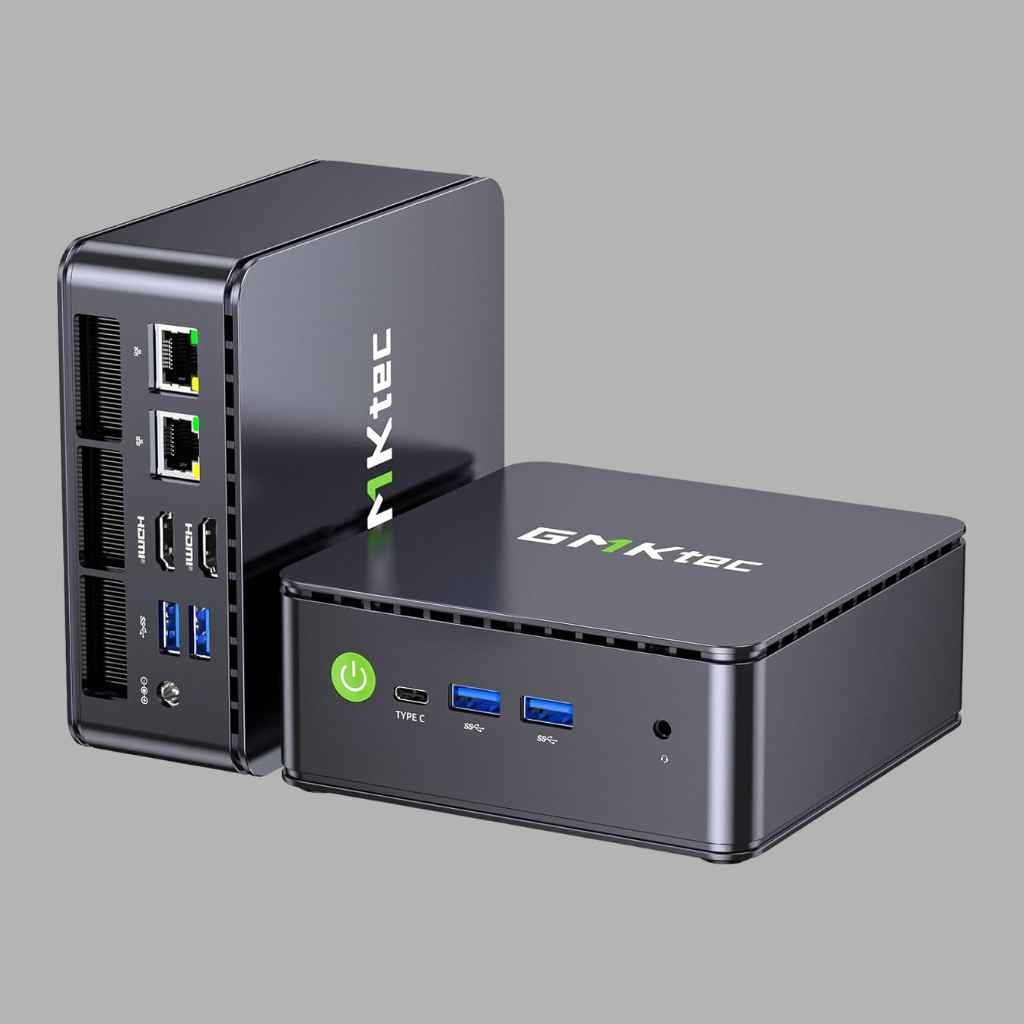
GMKtec NucBox G3 Plus: best value overall
The G3 Plus pairs the Intel N150 with 16GB of RAM and a 512GB NVMe SSD for around £160, which is frankly absurd value for a Plex server. After three weeks with the G3 Plus running as my only server, I forced simultaneous 4K HEVC transcodes from my own library and it held four streams before the buffer wheel appeared. The case stays cool, the fan is barely audible from a metre away, and the 2.5G Ethernet on the higher trim means your network will bottleneck before the box does.
GMKTEC NUCBOX G3 PLUS N150 16GB/512GB | Buy on Amazon UK | £160
Beelink EQ14: best for a tidy 24/7 server
Beelink’s EQ14 uses the same N150 but adds dual Ethernet ports, a bigger 1TB SSD and a cleaner power design aimed at always-on use. It ships with 16GB of DDR4 and runs a 4K HDR tone-mapped transcode without breaking 20 watts at the wall. The dual LAN ports also make it a favourite for people who want the same box to run a firewall or Home Assistant alongside Plex. At around £249 it costs more than the G3 Plus, but the extra storage and network flexibility justify it for a serious home server.
BEELINK EQ14 N150 16GB/1TB | Buy on Amazon UK | £249
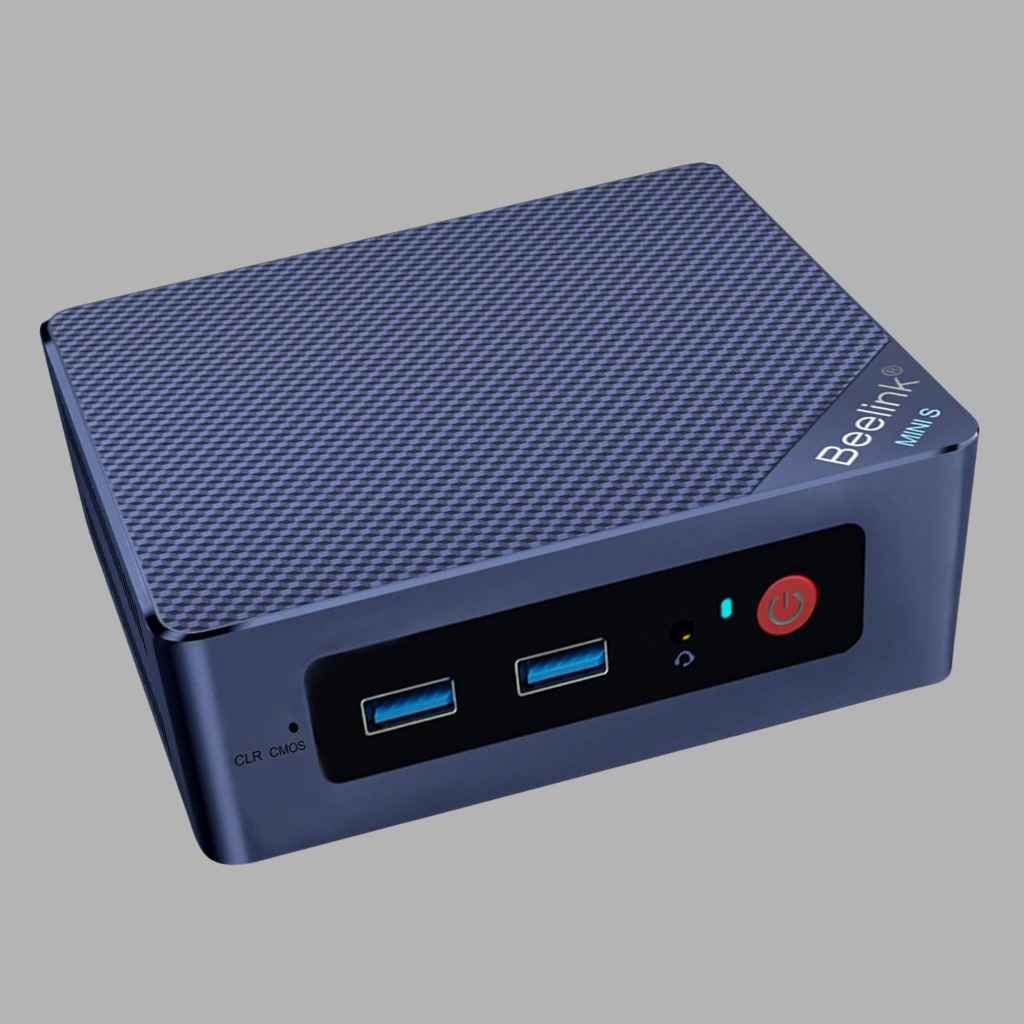
Beelink Mini S12 Pro: the proven cheap option
The S12 Pro is the previous-generation N100 machine, and it remains the budget king because the N100 media engine is effectively identical to the N150 for transcoding. In practice you give up a few percent of CPU speed you will never notice while serving media. With 16GB of RAM and a 500GB SSD for around £159, often less on offer, it is the box I suggest to readers who just want their library working tonight. It handled every mixed-format stress test I threw at it, including old DivX files that trip up fussier setups.
BEELINK MINI S12 PRO N100 16GB/500GB | Buy on Amazon UK | £159
GEEKOM Mini IT12: for big libraries and heavy extras
If your server also runs the full download-automation stack, game servers or virtual machines, step up to the GEEKOM Mini IT12 with its 8-core i5-12450H. The Quick Sync engine is a generation stronger, and the extra cores keep background tasks from ever touching playback. You also get USB4, Wi-Fi 6E and 2.5G LAN, with easy upgrades to 64GB of RAM and a second SSD. At roughly £379 it is overkill for pure Plex duty, and that is precisely the point: buy it for the other jobs, and Plex rides along free.
GEEKOM MINI IT12 I5-12450H 16GB/512GB | Buy on Amazon UK | £379
How I tested these boxes
My test method is deliberately unglamorous. Each machine ran Plex Media Server against the same library of mixed files, from 90GB 4K HDR remuxes down to ancient standard-definition rips, served over gigabit Ethernet to a Fire TV Stick, an iPad, a five-year-old laptop and a phone forced onto a throttled connection. Forcing every client below the source bitrate makes the server transcode all of them at once, which is the worst realistic evening a family server will ever face.
I logged CPU use, stream stability and wall power with a plug-in energy meter, the same £12 meter I use for every GadgetsBuzz power test. Numbers in this piece come from those sessions, not from a spec sheet, and where a figure is the manufacturer’s claim I have said so.
Power draw and running costs in the UK
Running costs matter for a machine that never sleeps. At the July 2026 electricity price of roughly 26p per kWh, a mini PC idling at 7 watts costs about £16 a year to run around the clock. My old desktop server at 60 watts idle was costing over £135 a year for the same job. The mini PC effectively pays for itself in two to three years of saved electricity, before you count the performance gain.
Under load the story stays cheap. An N150 flat out transcoding four streams draws 20 to 25 watts, and those bursts are brief because most playback is direct play, where the file streams untouched and the processor barely wakes up.
If you are curious how much difference tuning makes to a bigger machine’s power draw, my guide to undervolting a 4070 Ti in an SFX build covers the same principles at the other end of the scale: the definitive SFX 600W 4070 Ti undervolt guide.
Windows or Linux, and where to buy in the UK
Every box above ships with Windows 11, and honestly, Windows is fine for a first Plex server. Install Plex Media Server, set it to start with the machine, and you are done in twenty minutes. Tinkerers get more from a Linux install, since Ubuntu Server or a Docker setup frees up memory and removes Windows Update reboots from the equation, however there is no shame in keeping things simple.
Stock in the UK is strongest on Amazon, where Beelink, GMKtec and GEEKOM all run official stores with frequent voucher discounts. Currys and Argos carry a thinner mini PC range at steadier prices, and they are worth a look when Amazon listings jump around. Whatever you do, avoid grey-import listings without a UK plug or UK warranty support; the £15 saving is not worth the return-postage headache when a power brick fails in month eleven.
Mistakes to avoid when building your Plex box
Do not pay for RAM you cannot use. Plex transcoding is not memory-hungry, and 16GB covers everything including a healthy RAM disk for transcode temp files. Spending extra on 32GB for a pure media server is wasted money.
Avoid ARM-based TV boxes and old office desktops without Quick Sync. A pre-2015 Core i5 tower might look tempting at £60 on eBay, but its ancient media engine cannot decode HEVC, so every 4K file becomes a painful software transcode. We covered a similar buy-used trade-off in our used Ryzen mini PC for budget gaming experiment, and the lesson is the same: check the silicon generation, not the brand.
Wired networking is worth the cable. Wi-Fi will work, but a single Ethernet run to your router removes the most common cause of evening buffering. UK readers on full-fibre connections should also read our Starlink and GeForce NOW latency deep dive for a sense of how much the network layer shapes streaming quality.
Think about where the films actually live before you buy. A tidy pattern for most households is a 4TB or 8TB USB hard drive plugged straight into the mini PC, formatted and shared, with the Plex database kept on the internal SSD where it belongs. Libraries beyond 20TB are the point where a proper multi-bay NAS or a DAS enclosure earns its keep, and even then the mini PC should keep doing the serving.
Finally, remember remote streaming. If you share your library with family elsewhere in the UK, your upload speed becomes the ceiling, and transcoding to a lower bitrate is exactly what these Quick Sync chips are for.
FAQ: mini PCs for Plex transcoding
Can an Intel N150 mini PC really transcode 4K for Plex?
Yes. With Plex Pass enabled, the N150’s Quick Sync engine handles three to four simultaneous 4K HEVC to 1080p transcodes with HDR tone mapping. I verified this on my own G3 Plus over several evenings of deliberate torture testing.
Do I need a Plex Pass for hardware transcoding?
You do. Hardware acceleration is a paid Plex Pass feature. Without it, transcoding runs in software and a small CPU will struggle with 4K. Jellyfin offers hardware transcoding free if you want to avoid the subscription.
How much electricity does a mini PC Plex server use in the UK?
Very little. Expect 6 to 8 watts at idle and 20 to 25 watts under heavy transcoding, which works out near £16 to £20 a year at 26p per kWh for typical use.
Is a mini PC better than a NAS for Plex?
For transcoding, almost always. Sub-£300 NAS boxes generally lack usable hardware transcoding, while any £160 Intel N-series mini PC transcodes 4K comfortably. A NAS still wins for multi-drive redundant storage, and plenty of readers run both: the NAS holds the files, the mini PC serves them.
What size SSD do I need for a Plex server?
The SSD only holds the operating system, Plex metadata and transcode temp files, so 256GB is enough and 512GB is comfortable. Your actual media lives on cheap external or network drives.
Choosing the best mini PC for Plex 4K transcoding comes down to one honest question: what else will the box do? Pick the G3 Plus if you want the best value, the EQ14 if it will run extra services around the clock, the IT12 if it doubles as a workhorse, and spend the difference on storage rather than cores. Your films do not care how many cores sit idle underneath them.
Imran Qureshi tests every PC component in his own home lab for GadgetsBuzz. This article contains affiliate links. We only recommend products we genuinely rate.





Does a Bigger PSU Use More Electricity? Honest UK Test
27 July 2026[…] Best Mini PC for Plex 4K Transcoding UK… […]